Step 1 : Proceed to Login Page
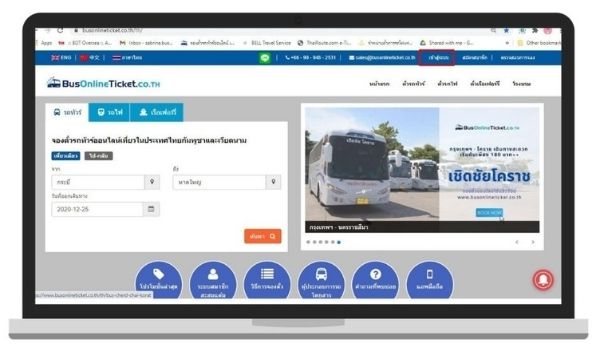
Action : Proceed to Login Page located on the “top-right” on the Main Menu.
Step 2 : Login into your Account
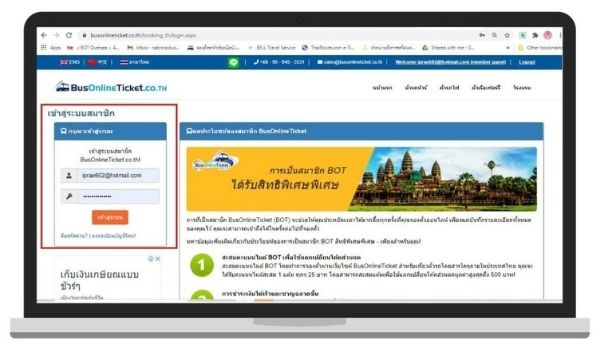
Action : Located on the left side of the page, provide your login credentials.
Step 3 : Click on Re-Schedule tap under “My bookings”
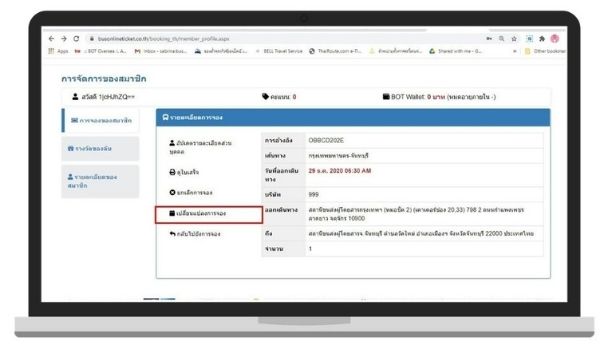
Action : Click on “Re-schedule” tap to proceed.
Step 4 : Re-schedule your booking
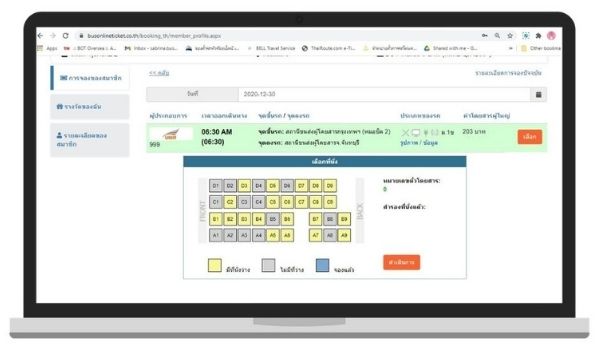
Action : After clicking on your Chosen ticket, “Calendar Tap” will appear for you to choose.
Step 5 : Confirm your Re-Scheduled date
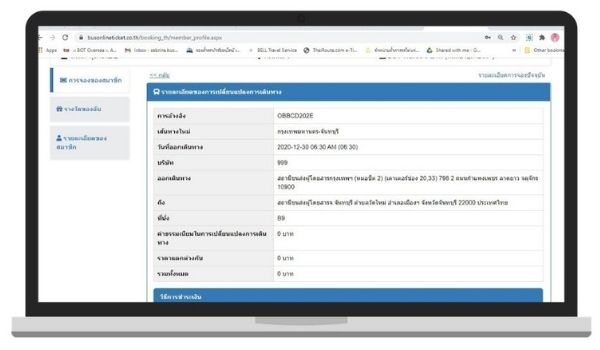
Action : After choosing your new date, this tap will appear for you to confirm your new booking details.
Step 6 : Payment for Re-Schedule
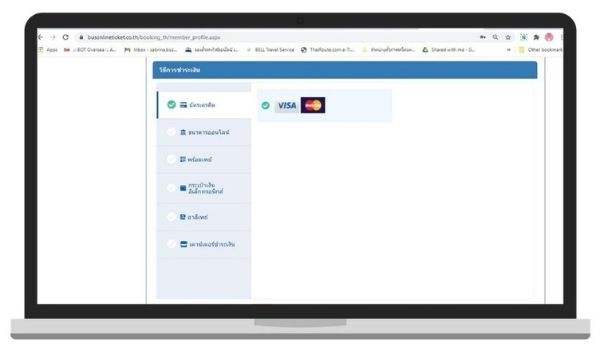
Action : You can choose variety of payment at your convenience. You can also refer to our Re-Schedule Policy and Refund Policy.