A step-by-step guide to managing your trip and getting a refund.
You can manage eligible bookings through your BusOnlineTicket.co.th member account. Cancellation, refunds and rescheduling are subject to each operator’s policy.
Choose the action you need: For cancellation, follow steps 1–4, then check your email in step 7. To reschedule, follow steps 1–2, then steps 5–6.
Understand the Requirements
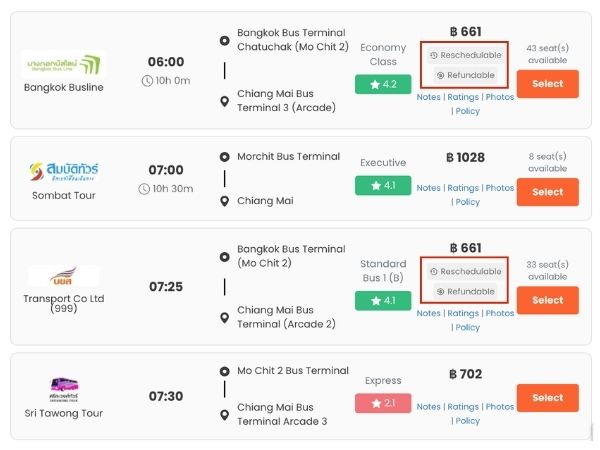
Make sure your trip is eligible for cancellation or rescheduling. Look for the “Refundable” or “Reschedulable” icon and read the relevant policy in the “Notes” section before making your booking.
Log In to Your Member Account
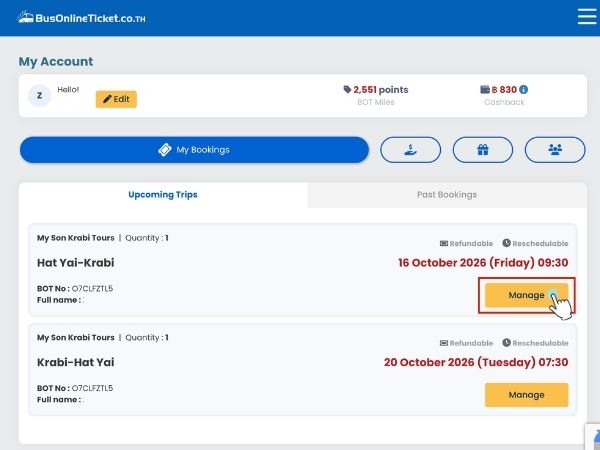
Log in to your BusOnlineTicket.co.th member account. Find the booking you would like to manage, then click “Manage”.
Option A: Cancel Your Booking & Get a Refund
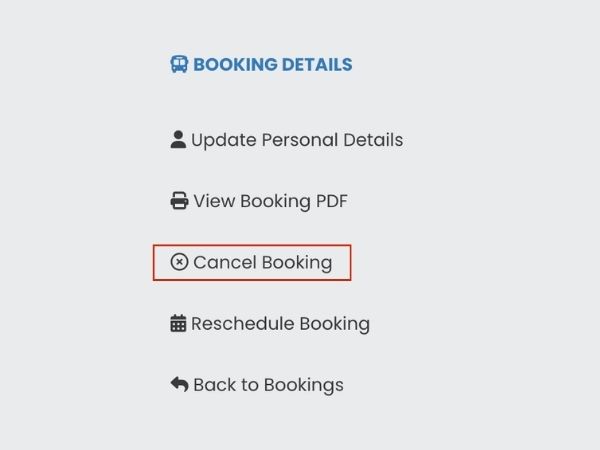
Cancel Booking
If your trip is eligible for cancellation, the “Cancel Booking” option will be available. Select this option to cancel your booking.
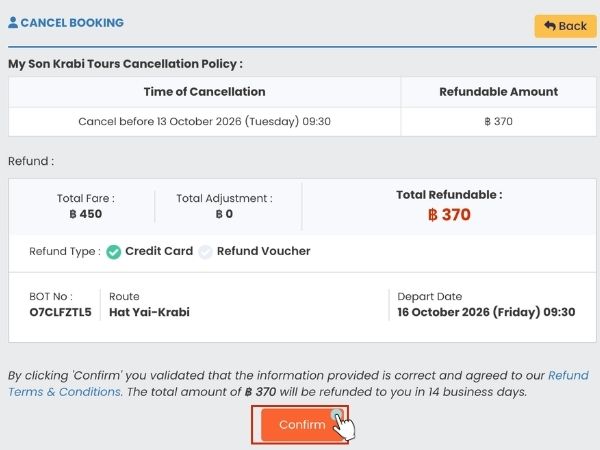
Confirm Cancellation
Each operator has its own cancellation and refund policy. Carefully review the cancellation deadline, refundable amount and refund method shown on the page, then click “Confirm”.
Option B: Reschedule Your Booking
Choose this option if you would like to change your travel date.
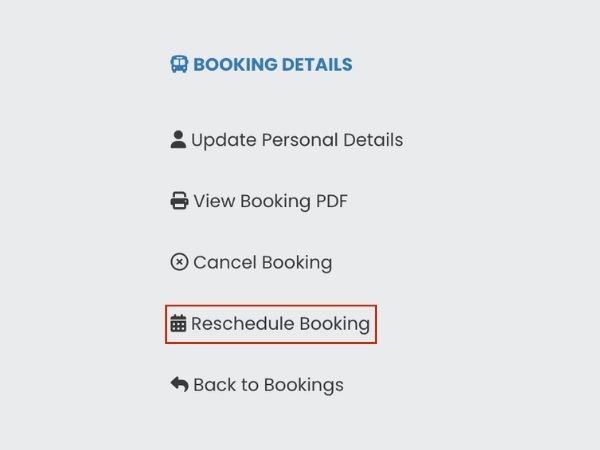
Reschedule Booking
To change your travel date, select “Reschedule Booking” from the booking details menu. This option is available for eligible bookings, subject to the operator’s rescheduling policy.
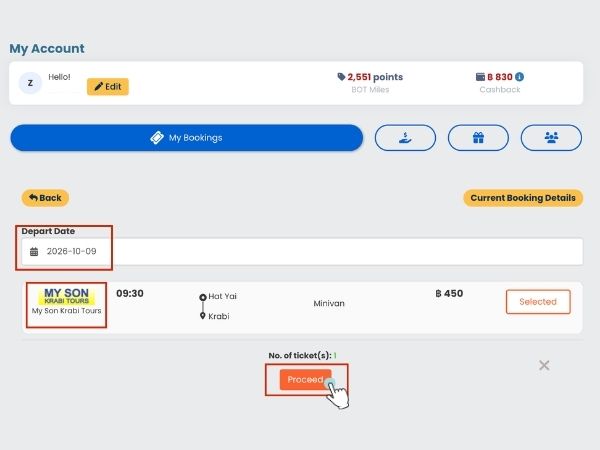
Select a New Travel Date
Choose your new departure date. Available trips will appear for the selected date. Select your preferred trip, review the details, then click “Proceed” to continue.
After Cancellation
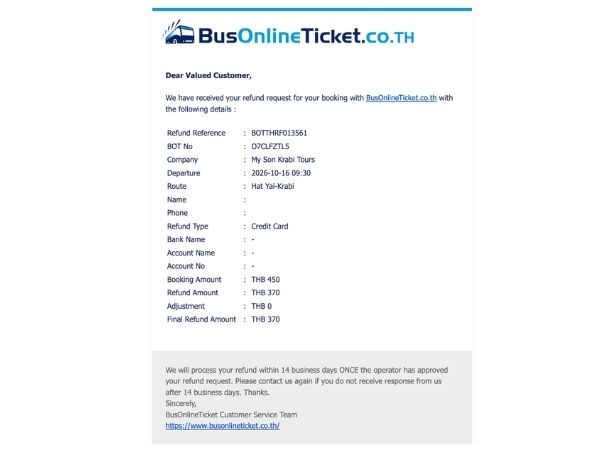
Check Your Email
After cancelling your booking, you will receive an email regarding your cancellation within 24 hours.